Building My First FHIR based Patient Management Web App with AI
I recently built my first healthcare web application - a Patient Management system that connects to medical databases. It was an exciting journey filled with learning, challenges, and some help from AI. Let me share what I created and the story behind it.
What I Built
I created a complete web application that helps manage patient information. Think of it as a digital patient registry that can connect to different medical databases (called FHIR servers) and let you:
- View all patients in a clean, organized table
- Add new patients with their details
- Edit existing patient information
- Search for specific patients by name, phone, or ID
- Sort patients by when they were last updated
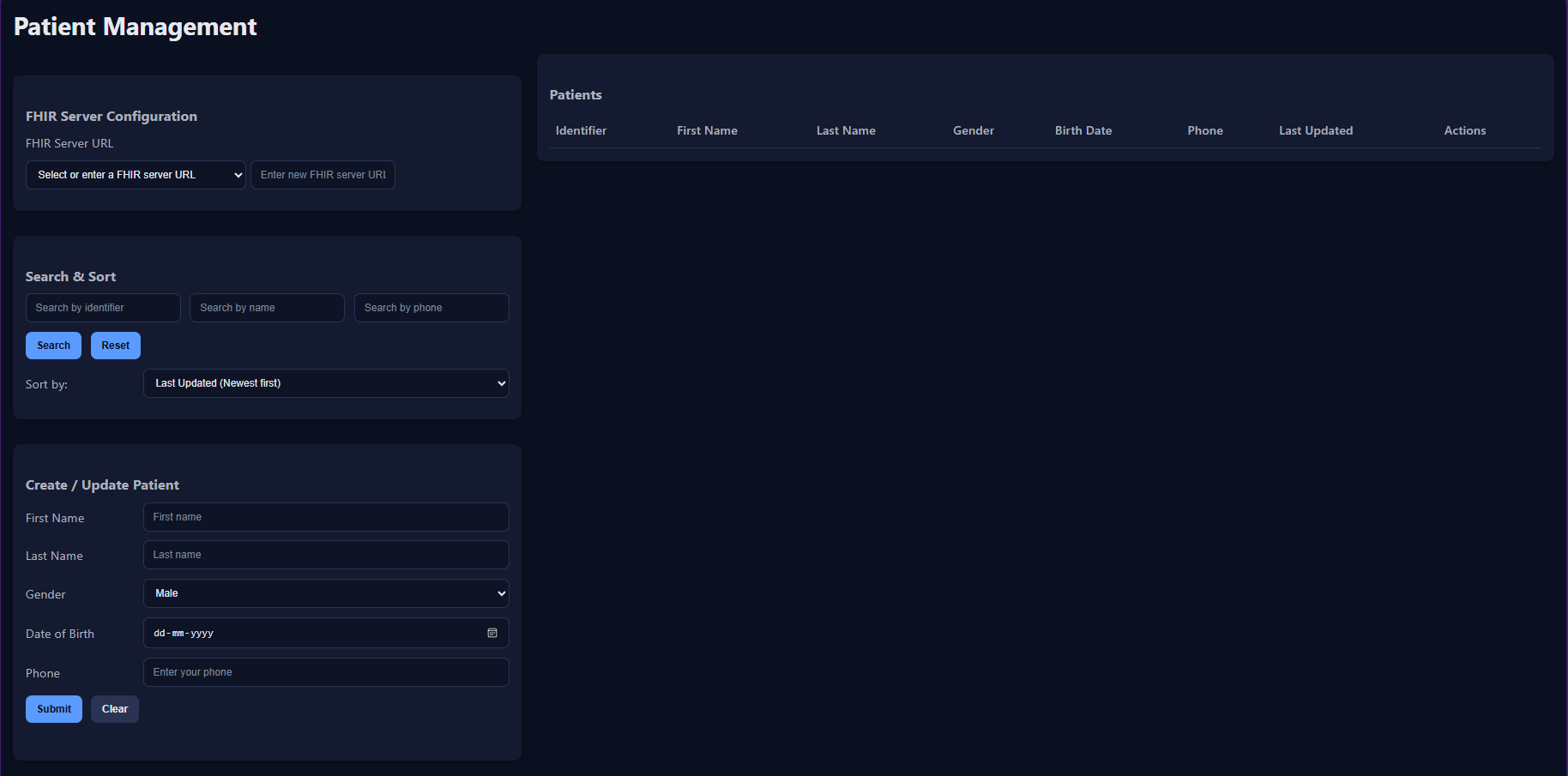 The main dashboard showing the patient list with search and management features
The Tech Stack I Chose
I decided to keep things simple but powerful:
Backend: FastAPI (Python)
- FastAPI is modern, fast, and automatically generates API documentation
- Perfect for building APIs that other applications can use
- Great for beginners because of its clear error messages
Frontend: Vanilla JavaScript, HTML, and CSS
- No complex frameworks - just clean, simple code
- Works on any device and loads quickly
- Easy to understand and modify
Database: No local database!
- Instead, the app connects directly to medical databases (FHIR servers)
- This keeps the app lightweight and always up-to-date
- No need to worry about data synchronization
Key Features I’m Proud Of
Smart Patient Management
The app can handle all the basic patient operations you’d expect:
- Patient List: Shows all patients with their key information
- Add New Patients: Simple form to add patients with validation
- Edit Patients: Update any patient’s information
- Search: Find patients by name, phone number, or ID
- Sort: Organize patients by when they were last updated
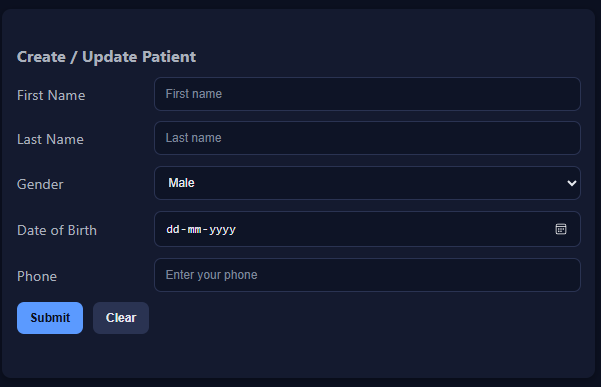 The clean, user-friendly form for adding new patients
Multi-Server Support
One of my favorite features is the ability to work with different medical databases:
- Switch Servers: Change between different medical databases on the fly
- Save URLs: Remember previously used database URLs
- Visual Feedback: Clear indicators when switching between databases
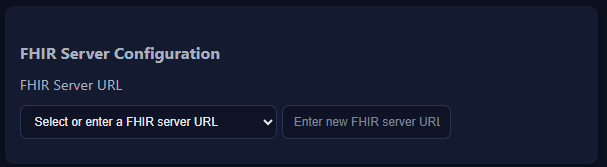 The interface for selecting and managing different medical databases
Smart Validation
The app includes several validation features to ensure data quality:
- Future Date Prevention: Can’t set birth dates in the future
- Phone Number Validation: Ensures phone numbers are properly formatted
- Required Fields: Makes sure essential information is provided
- Real-time Feedback: Shows errors immediately as you type
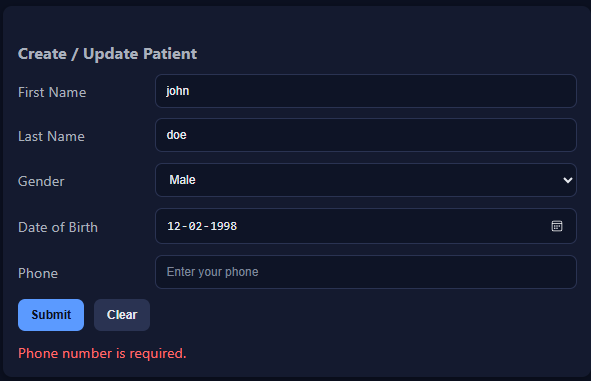
The Challenges I Faced
Learning FHIR Standards
The biggest challenge was understanding FHIR (Fast Healthcare Interoperability Resources) - the standard used in healthcare for sharing patient data. It’s quite complex, but I learned that:
- FHIR has very specific rules about how patient data should be structured
- Each piece of information has a specific format and location
- Validation is crucial to ensure the data meets medical standards
Building Without a Local Database
Not using a traditional database was both exciting and challenging:
- Pros: No data synchronization issues, always current information
- Cons: Had to handle network errors gracefully, ensure proper error messages
- Solution: Built robust error handling and user-friendly messages
Making It User-Friendly
Creating a good user experience is not that important but being an asthetic person i choose that as my main objective:
- Loading States: Added visual feedback during operations
- Error Messages: Clear, helpful error messages instead of technical jargon
How AI Helped Me Build This
I used AI assistance in Cursor throughout the development process, and it was incredibly helpful:
Code Generation: When I needed to create API endpoints or validation logic, the AI helped me write the boilerplate code quickly.
Understanding Standards: FHIR documentation can be overwhelming. The AI helped me understand the key concepts and requirements.
Debugging: When things didn’t work as expected, the AI helped me identify the issues and suggest solutions.
Architecture Decisions: The AI suggested good patterns for handling async operations and error management.
The User Experience
I focused on making the app simple and intuitive:
Clean Interface: The main page shows a clear list of patients with all the important information visible at a glance.
Easy Navigation: Simple buttons and forms that guide users through each action.
Helpful Feedback: Success messages when operations complete, clear error messages when something goes wrong.
Fast Performance: The app responds quickly to user actions, even when dealing with large amounts of patient data.
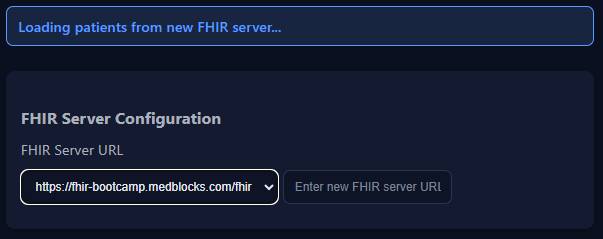 Clear feedback when operations complete successfully
What I Learned
Healthcare Data is Serious Business
Working with patient data taught me the importance of:
- Data Validation: Every piece of information must be accurate and properly formatted
- Security: Patient information is sensitive and must be handled carefully
- Standards: Following established standards ensures compatibility with other systems
The Power of AI-Assisted Development
Using AI tools like Cursor significantly accelerated my development:
- Faster Learning: AI helped me understand complex concepts quickly
- Better Code: Suggestions for cleaner, more maintainable code
- Problem Solving: When stuck, AI provided alternative approaches
The Result
The final application is a clean, functional patient management system that:
- Connects to real medical databases
- Handles patient data according to healthcare standards
- Provides a smooth user experience
- Can be easily extended with new features
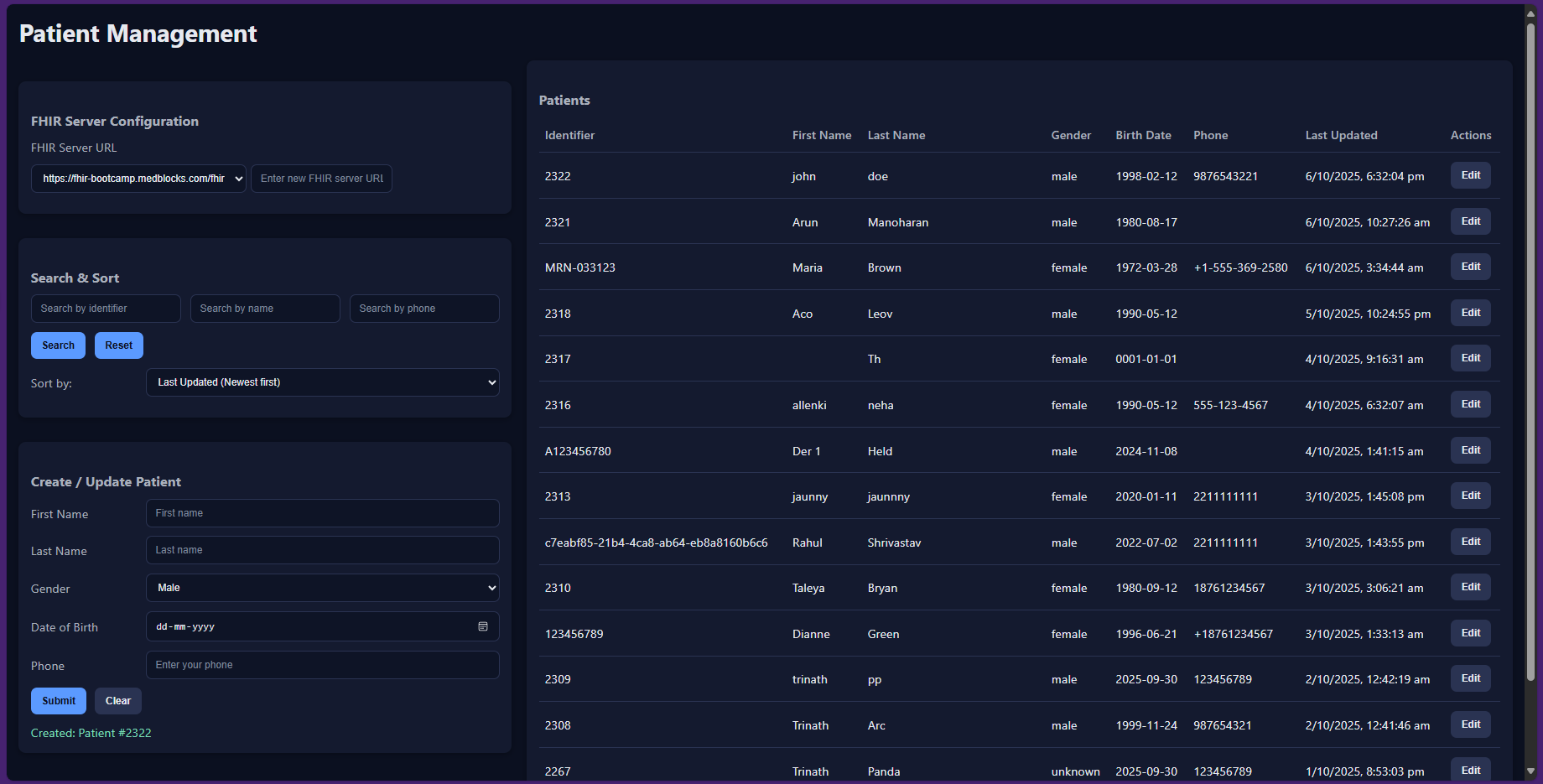 An overview of the complete application interface